



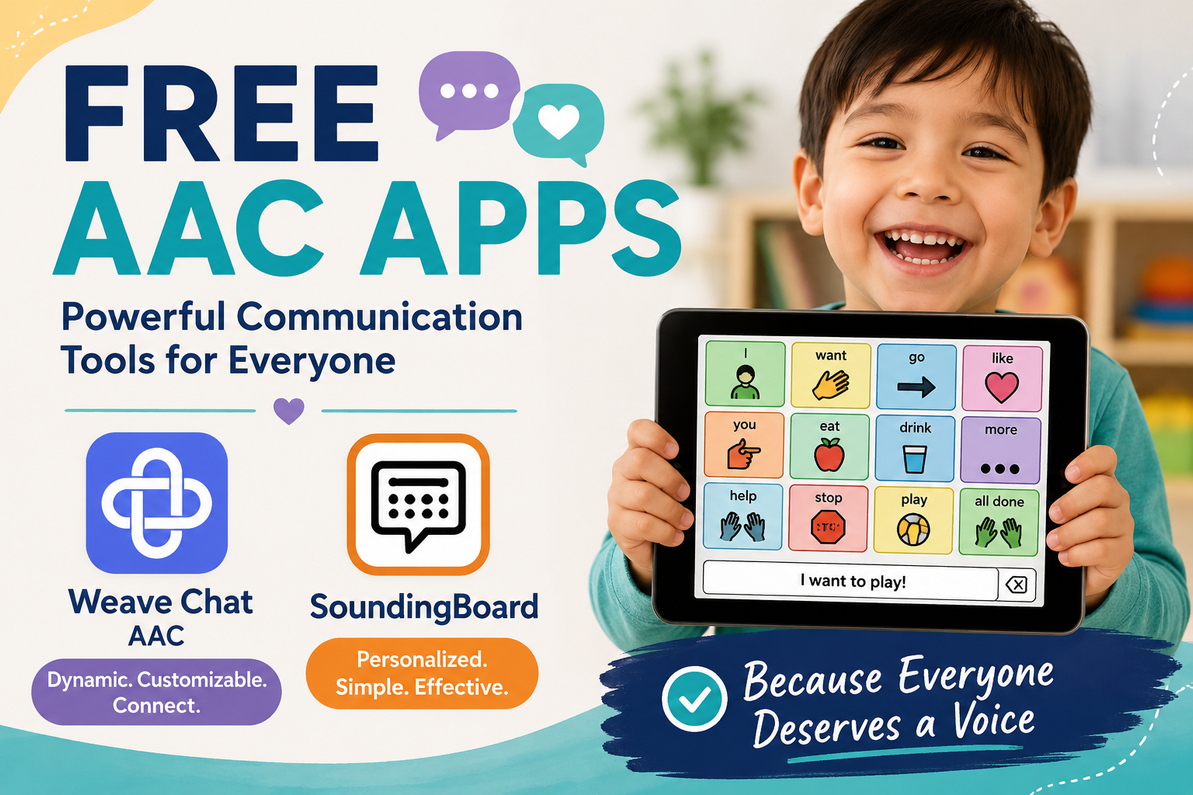
Free AAC Apps: Expanding Communication Without the High Cost
Featuring Weave Chat AAC and SoundingBoard
Everyone deserves a reliable way to communicate. For individuals who have difficulty using speech, augmentative and alternative communication—commonly called AAC—can provide a way to express needs, share ideas, make choices, participate in conversations, and build relationships.
AAC can include anything from gestures and printed communication boards to dedicated speech-generating devices and mobile apps. Although some AAC systems can be expensive, families, educators, therapists, and adults with communication disabilities also have access to several free options.
Two free AAC apps worth exploring are Weave Chat AAC and SoundingBoard. Each takes a different approach to communication and may be helpful for different users and situations.
What Is an AAC App?
An AAC app turns a phone or tablet into a communication tool. Depending on the app, a person may select pictures, symbols, words, or phrases that are then spoken aloud.
AAC apps may be used by people with a wide range of communication needs, including individuals with:
- Autism
- Apraxia of speech
- Cerebral palsy
- Down syndrome
- Aphasia following a stroke
- Amyotrophic lateral sclerosis, or ALS
- Developmental disabilities
- Temporary or progressive loss of speech
AAC is not limited to people who are completely unable to speak. It can also support people whose speech is difficult to understand, unreliable, limited in certain situations, or affected by fatigue, illness, anxiety, or motor difficulties.
Weave Chat AAC
Weave Chat AAC is a free, category-based AAC app with a dynamic display. It is available for iOS and Android phones and tablets, as well as Amazon Fire and Kindle devices. The developers state that the app is free and will remain free. Visit the Weave Chat website
Unlike many AAC apps designed primarily for tablets, Weave Chat can also be used effectively on a phone. This can make AAC more portable and less conspicuous for users who prefer to communicate with a device they already carry throughout the day.
Key Features of Weave Chat
Weave Chat includes picture symbols, written text, and synthetic speech. Users can select vocabulary to build a message and then have the app speak it aloud.
The app offers a considerable amount of customization, including:
- Multiple grid arrangements and a scrolling-board option
- Adjustable button, border, symbol, and text sizes
- Custom words and categories
- Custom photographs and images
- Light and dark display modes
- Topic-specific vocabulary
- Customizable synthetic voices
- Audio recordings of up to 30 seconds on individual buttons
- A Word Finder feature to help locate vocabulary
One feature that distinguishes Weave Chat from many other AAC apps is its built-in messaging function. Users can communicate with individual contacts or groups using picture symbols and text. The communication board and speech features can be used offline, although the messaging feature requires an internet or data connection.
Weave Chat was created and continues to be maintained by a speech-language pathologist and an engineer, with input from AAC users and professionals.
Who Might Benefit From Weave Chat?
Weave Chat may be especially useful for someone who:
- Needs access to a broad, expandable vocabulary
- Wants to combine symbols and written text
- Uses both a phone and a tablet
- Benefits from adjustable grid and symbol sizes
- Wants to communicate remotely with other Weave Chat users
- Needs an AAC option that can grow beyond simple requests
- Uses AAC in several environments, such as home, school, work, and the community
Because it provides more extensive vocabulary and message-building capabilities, Weave Chat may be a stronger option for someone who needs a more comprehensive communication system.
SoundingBoard
SoundingBoard, developed by AbleNet, is another free AAC app. It is available through Apple’s App Store for the iPhone and iPad. The app is free to download, although the App Store lists optional in-app purchases. View SoundingBoard from AbleNet
SoundingBoard allows caregivers, educators, therapists, and AAC users to create customized communication boards with up to 20 message locations. Each location can include an AbleNet symbol, a personal photograph, a word, and a recorded spoken message.
Key Features of SoundingBoard
SoundingBoard includes:
- Boards containing one to 20 message locations
- A built-in library containing hundreds of AbleNet symbols
- The ability to use photographs from the device
- The ability to take a photograph and immediately add it to a board
- Recorded voice messages
- Linked boards for moving between topics or categories
- Portrait and landscape display modes
- Board importing and exporting
- White, black, or yellow board backgrounds
- Support for several languages
- Switch access, including compatibility with the AbleNet Blue2 Bluetooth switch
Because users record the spoken message for each button, SoundingBoard can use the voice of a parent, sibling, teacher, therapist, caregiver, or the AAC user. Recorded speech can also provide a more personal or familiar voice than synthesized speech.
Who Might Benefit From SoundingBoard?
SoundingBoard may work well for someone who:
- Benefits from a limited number of clearly displayed choices
- Recognizes personal photographs more easily than abstract symbols
- Needs communication boards for specific activities or routines
- Uses direct touch or switch scanning
- Benefits from familiar recorded voices
- Needs a simple way to create customized choice boards
- Uses an iPhone or iPad
For example, separate boards could be created for meals, dressing, classroom participation, leisure activities, medical appointments, pain reporting, or community outings.
SoundingBoard may also be useful during early AAC exploration because a support person can quickly create a small board without building an extensive vocabulary system first.
Comparing Weave Chat and SoundingBoard
Although both apps are free AAC options, they are not identical.
|
Feature |
Weave Chat AAC |
SoundingBoard |
|
Platforms |
iOS, Android, and Amazon devices |
Primarily iPhone and iPad |
|
Communication format |
Dynamic, category-based vocabulary system |
Individually created communication boards |
|
Voice output |
Synthetic speech and recorded audio |
Primarily recorded messages |
|
Custom photographs |
Yes |
Yes |
|
Message building |
Designed for combining vocabulary into messages |
Best suited to individual messages and linked boards |
|
Remote messaging |
Yes, with an internet connection |
No built-in AAC messaging system |
|
Switch access |
Confirm compatibility for the user’s access method |
Includes switch access and Blue2 compatibility |
|
Best fit |
Broader everyday communication |
Focused boards, choices, routines, and activities |
Neither app is automatically better than the other. The best choice depends on the communicator’s language, motor, sensory, visual, cognitive, and access needs.
Some AAC users may even benefit from having both. Weave Chat might serve as a broader communication system, while SoundingBoard could provide quick access to highly specific boards for particular routines or environments.
Free Does Not Mean One Size Fits All
A free AAC app can be an excellent starting point, but downloading an app is not the same as completing an AAC evaluation.
A person may need support determining:
- The appropriate vocabulary organization
- The best number and size of buttons
- Whether photographs, symbols, words, or a combination are easiest to understand
- Whether direct touch, a stylus, switch scanning, eye gaze, or another access method is needed
- Which voice and language settings are appropriate
- Whether the app can support the person’s present and future communication needs
Whenever possible, AAC selection should involve the person who will use the system, along with family members, educators, caregivers, and a speech-language pathologist or assistive technology professional with AAC experience.
Give the User More Than Requesting Words
When setting up any AAC system, it can be tempting to focus primarily on requesting words such as “want,” “eat,” “drink,” and “more.” Those words are important, but meaningful communication involves much more than asking for things.
AAC users also need ways to:
- Say no
- Protest or ask someone to stop
- Ask questions
- Share opinions
- Tell stories
- Make jokes
- Comment on what is happening
- Express pain or discomfort
- Ask for help
- Greet people
- Talk about feelings
- Participate in social conversations
A useful AAC system should give the person access to a full range of communication—not simply a way to comply with activities or request preferred items.
Model AAC Without Requiring a Response
One of the most effective ways to support AAC learning is to use the system while speaking. This is often called AAC modeling or aided language input.
For example, while saying, “Let’s go outside,” a communication partner might select go on the AAC system. During lunch, the partner might select good, more, or finished while naturally speaking those words.
The AAC user should not be required to copy every selection. The goal is to demonstrate where words are located and show that the system is a meaningful form of communication.
A Valuable Place to Begin
The cost of an AAC system should never prevent someone from having a voice. Free apps such as Weave Chat AAC and SoundingBoard can help families and professionals begin exploring communication supports using devices they may already own.
Weave Chat offers a broad, customizable communication system with symbols, text, speech, and in-app messaging. SoundingBoard provides a straightforward way to create personalized boards using symbols, photographs, linked pages, recorded messages, and switch access.
The most important step is not simply choosing an app. It is making the communication system available throughout the day, respecting everything the person communicates, and continuing to adjust the system as the person’s abilities, preferences, and needs become clearer.
Communication is a right—not a reward. Free AAC tools can help make that right more accessible.
Recent Posts
-
Free AAC Apps: Expanding Communication Without the High Cost
Featuring Weave Chat AAC and SoundingBoard Everyone deserves a reliable way to communicate. For indi …Jul 27, 2026 -

When a Switch User Can Press but Not Hold: Simple Ways to Reduce Fatigue and Improve Access
When a Switch User Can Press but Not Hold: Options for Reducing Fatigue During Switch-Adapted Play …May 06, 2026 -

Switch Adapted Toys: Making Play Accessible for Everyone
Have you ever considered how much joy a simple toy can bring to a child? For many children with di …Dec 06, 2025
