


Adaptive Tech Solutions, Ideas, Information

Easy Ideas for Protecting your iPad
If you are in a pinch, you can protect your iPad by re-puposing vinyl zipper pouches, notebooks with clear outer pockets, or you can use more substantial products such as the Rugged Rubber iPad Case and Shatterproof Screen Protector from www.AdaptiveTechSolutions.com.
…
Jul 19, 2016

Assistive Technology for Autism Spectrum Disorders
Individuals with Autism Spectrum Disorders (ASD) can benefit from the use of Assistive Technology (AT). Through the use of AT, the user can become less dependent on caregivers for prompts. This fosters greater independence and success.
Visual Schedules
Although "paper" schedules are beneficial, many individuals will perform
better when there is also a paired voice prompt. Use simple communication
buttons, such as the Talk About! to create" talking" visual sche
…
Jul 09, 2016
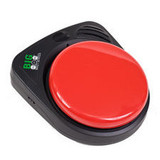
Teaching Beginning Communication with Inexpensive Single Buttons
If you’re reading this, you most likely know someone who is
non-verbal or has very limited communication skills. They may communicate through
grunts, pushing things away, or throwing that tantrum in the grocery store isle
that seems to last waaaay too long. As a caregiver, therapist or teacher, our
job is to replace those methods of communication with functional, socially
appropriate communication that is understood even by unfamiliar listeners. Inexpensive, single button communication devi
…
Feb 20, 2016
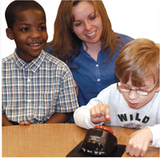
Ideas for Using Inexpensive Single Output Communication Buttons
So, you've bought one or more single output communication buttons. Here's some ideas on how to use them! Record the Happy Birthday Song so the user can sing to someone on their special day.Place 2 buttons on the fridge. On one, put a picture that represents drinking, on the other put a picture that represents eating.Record a portion of your morning circle time routine. Let the user press the switch to say their part in the morning routine.Add pictures that represent the steps for an ac
…
Feb 20, 2016
disABILITY News
Sep 25, 2015
